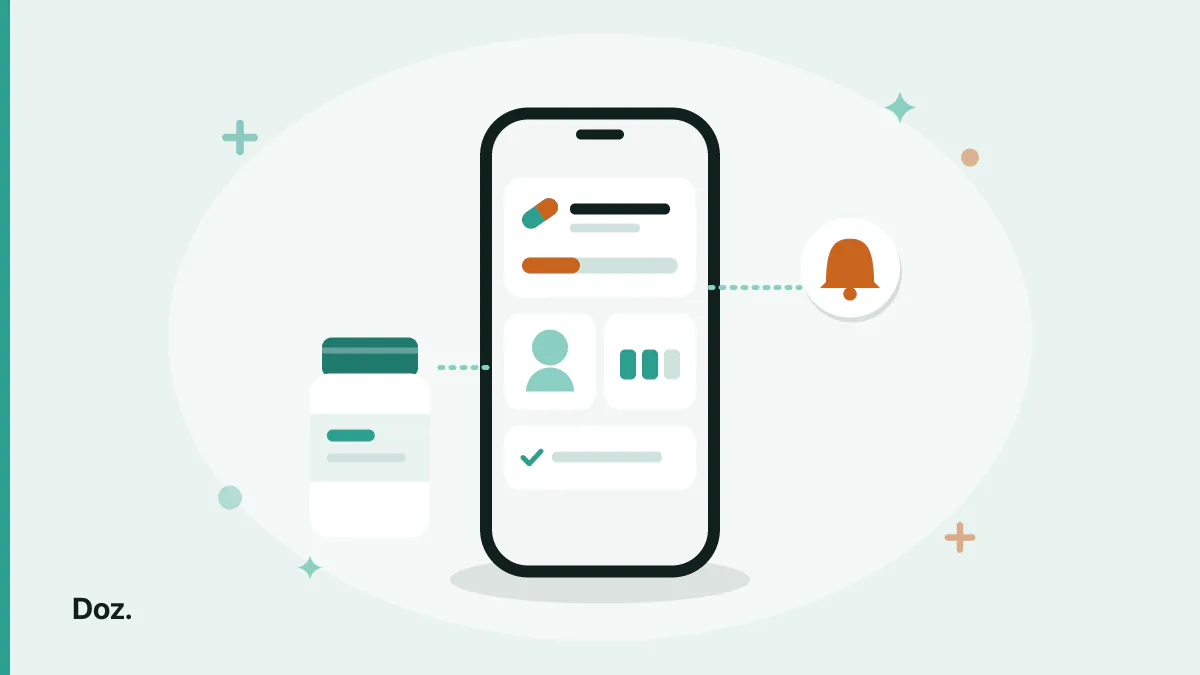
Most tools that call themselves a prescription tracker app track pills. You enter a name, a strength, a time, and it reminds you. That is useful, and it is also throwing away most of the information on the paper you were handed.
A prescription is not a pill. It is a small record with a prescriber, a course length, a quantity dispensed, one or more medications, and a set of instructions about how they relate to each other. When a tracker keeps only the pill and the time, everything else lives in your memory or in a folder — which means it is not really tracked at all.
This is about what is worth recording, why the pill-level view loses information, and what to check before you commit to a tool.
What a prescription tracker app should actually track
Six things, in rough order of how often they turn out to matter:
- The medications, grouped by the prescription they came from. Not a flat alphabetical list.
- The instruction as written. "One tablet twice daily after food", verbatim — not your paraphrase.
- How long the course runs. With an end date where there is one, so finished courses stop reminding you.
- How much you were given. This is what makes refill warnings possible at all.
- Who prescribed it. Six months later, "which doctor put me on this?" is a real question with a real consequence.
- What you actually took, and when. Distinct from what you were supposed to take.
Notice how much of that is not about reminders. A reminder is the daily surface of the thing; the record underneath is what you need when something changes.
Why pill-level tracking loses information
Consider a prescription with three medications on it — common enough after a hospital visit. Entered pill by pill, you get three unrelated entries with three schedules. Entered as a prescription, you get one thing with three parts.
The flat version silently loses three facts:
- That they belong together. When the course ends, you need to stop all three. In the flat version there is nothing telling you they are related, so one gets left behind and keeps reminding you for months.
- That they share a prescriber and a reason. "The two from the specialist" is how you will describe them out loud, and how you will discuss them at your next appointment.
- That they share a duration. A three-week course is one fact, not three copies of the same fact that can drift apart when you edit one.
There is also a plain usability cost. Six prescriptions as individual pills is fourteen rows of small text with no structure — something you study rather than read. The same six as prescriptions is six cards you recognise at a glance. That difference gets sharper the more medications you take — the same reason it is the first thing to fix when you are managing several medications at once — and it is the reason Doz is built prescription-first: each prescription is one card holding its medications, the prescriber, and how long it runs.
Enter the instruction, not your summary
Type what the label says, including the awkward parts — "with or after food", "do not take with dairy", "morning only". When something looks wrong weeks later, you want to compare against the original wording, not against what you thought it meant when you were standing in a pharmacy.
Supply and refills: the part most trackers miss
Reminders answer "should I take something now?". They do not answer "will I still have something to take next Thursday?" — and running out is a missed dose with extra steps.
With one prescription you notice the bottle getting light. With several, each on a different cycle length and a different repeat schedule, the refill dates drift apart until they are effectively random. This is the failure mode that catches organised people: perfect adherence for three weeks, then a two-day gap because a repeat prescription needed 48 hours and the surgery was shut on Sunday.
What makes it work is unglamorous: record the quantity you were dispensed, and let the tool count down. Then the warning arrives while there are still pills in the bottle rather than when it hits zero. A few days of notice is the whole difference between arranging a repeat calmly and improvising.
If a tracker has no concept of quantity, it cannot do this at all, no matter how good its reminders are. That is worth checking before you invest an hour entering everything.
Keeping the record useful to a pharmacist
The most valuable thing a prescription record does has nothing to do with your phone: it lets you answer questions accurately at a counter.
Pharmacists and doctors ask the same handful of things — what are you taking, at what strength, how long have you been on it, who started it, and what else including supplements. If your tracker holds those, the conversation takes two minutes and is based on facts. If it holds "blue pill, mornings", you are reconstructing from memory in front of someone who needed precision.
Two habits make the record trustworthy:
- Log what you actually took, not what you intended. A record that shows a missed dose is more useful than one that quietly assumes compliance.
- Close finished courses instead of deleting them. What you took last winter is part of your history.
Worth saying plainly: this is a record, not an analysis. No tracker can tell you whether two of your medications interact — bring the full list to your pharmacist and ask directly. That question needs a human with your history, and it is the highest-value thing you can do once your list grows past a few items.
Choosing a prescription tracker app: what to check
A short list you can run through in the App Store before committing:
- Can it group medications under a prescription, or does everything land in one flat list?
- Does it record quantity and warn about refills before you run out?
- Can it express your actual instructions — meal-anchored doses, cycles like 21 days on and 7 off, fixed intervals?
- Will its reminders sound on a silenced phone? This needs Critical Alerts support and a separate iOS permission; without it, notifications are suppressed by Silent mode and Focus.
- Does it need an account? One more password, and one more thing that can lock you out of your own medication list.
- Where does the data live? See below — this is not a small question for health data.
- Does it end courses cleanly so finished prescriptions stop reminding you?
Steps 2 and 4 are the ones people discover they needed after a month of using something that cannot do them.
Privacy: where your prescription data lives
Your prescription list is among the more sensitive things on your phone. It is worth ten seconds of attention.
The questions to ask: does it require an account, does it collect your name and email, where is the data stored, and can the developer read it?
For Doz the answers are: no account and no sign-up, no name or email or phone number collected, prescriptions stored locally on the device, and if you turn on iCloud sync the data moves between your own devices through Apple's private CloudKit database — which Apple encrypts end to end and the developer cannot access. It also works fully offline; a connection is only needed for that sync. The privacy policy is short enough to read in a minute, which is itself a reasonable thing to demand of one.
For any other app, read theirs. A medication list behind a login on someone's server is a different proposition from one that never leaves your phone, and the difference is not visible from the App Store screenshots.
Frequently asked questions
What is the difference between a pill reminder and a prescription tracker?
A pill reminder answers "take this now". A prescription tracker keeps the underlying record — which medications came from which prescription, who prescribed them, how long the course runs, and how much is left. Most apps do the first well and the second barely at all, which is fine until something changes.
Can I track prescriptions for more than one person?
Not with Doz — it runs on the person's own iPhone with no multiple profiles and no remote monitoring, so you cannot manage someone else's list from your phone. If you are setting up a phone for a family member who will carry it themselves, install it on their device and enter the prescriptions together. There is a walkthrough for setting this up for an elderly parent.
Do I need an internet connection to track my prescriptions?
Not with Doz. It works fully offline, and a connection is only needed if you want data to sync between your own devices through iCloud. That also means there is no server outage that can take your medication list away from you.
How do refill reminders actually work?
You record how much you were dispensed, and the app counts down as doses are logged. A good implementation warns you while pills remain rather than at zero, giving you time to arrange a repeat prescription. Without a recorded quantity there is nothing to count, which is why apps that skip that field cannot offer this.
Is it worth tracking prescriptions if I only take one medication?
Honestly, probably not for the reminders alone — a phone alarm covers that. It becomes worth it when you have a course with an end date, a refill to stay ahead of, or a second medication. The record earns its keep at the point where memory stops being reliable.
Where to start
A prescription tracker app is only as good as the record underneath it. Enter prescriptions as prescriptions rather than as loose pills, keep the instruction in the prescriber's words, record the quantity so refills get flagged early, and check that reminders can actually reach you on a silenced phone.
Do that once with the boxes in front of you, and the next pharmacy conversation, the next repeat prescription, and the next "when did I start this?" all become questions with answers instead of guesses.
Doz is a free download on the App Store — no account, prescriptions grouped as your doctor wrote them, and refill warnings before the bottle is empty.
Download Doz on the App Store · Read the FAQ · More from the blog